MADALGODocs
Back to site
🌐Get Started
  • What Is MADALGO?
  • What Is TradingView?
  • Setup MADALGO On TradingView
  • Join MADALGO In Discord
📊MADALGO Premium Solutions
  • MADALGO Pulse
  • MADALGO Navigator
  • MADALGO Dynamics
  • Updating MADALGO
  • Setting Alerts
  • Changelogs
📈Technical Analysis
  • Charts
  • Volume
  • Support & Resistance
  • Trends
  • Technical Indicators
📚Trading — Best Practices
  • Trader Profile
  • Diversification
  • Money Management
  • Emotional Discipline
  • Do's & Don'ts
  • Recommended Brokers
❓FAQ
  • Frequently Asked Questions
🔗Useful Links
  • Discord
  • YouTube
  • X
  • FB
  • Free Indicators
  • Help Center - TradingView
🌐Get Started
  • What Is MADALGO?
  • What Is TradingView?
  • Setup MADALGO On TradingView
  • Join MADALGO In Discord
📊MADALGO Premium Solutions
  • MADALGO Pulse
  • MADALGO Navigator
  • MADALGO Dynamics
  • Updating MADALGO
  • Setting Alerts
  • Changelogs
📈Technical Analysis
  • Charts
  • Volume
  • Support & Resistance
  • Trends
  • Technical Indicators
📚Trading — Best Practices
  • Trader Profile
  • Diversification
  • Money Management
  • Emotional Discipline
  • Do's & Don'ts
  • Recommended Brokers
❓FAQ
  • Frequently Asked Questions
🔗Useful Links
  • Discord
  • YouTube
  • X
  • FB
  • Free Indicators
  • Help Center - TradingView
Docs
  • FAQ
  • Intro
  • Guides
  • Technical Analysis
Community
  • Discord
  • X
  • YouTube
More
  • Programs
  • Blog
Copyright © 2026 MADALGO. Licensed under CC BY-NC-ND 4.0

Setup MADALGO on TradingView

Upon registering on our website and linking your active TradingView account via the "Connect Accounts" section in your email, you'll gain immediate access to our suite of indicators on the platform.

To begin utilizing these indicators, initiate a chart on TradingView.
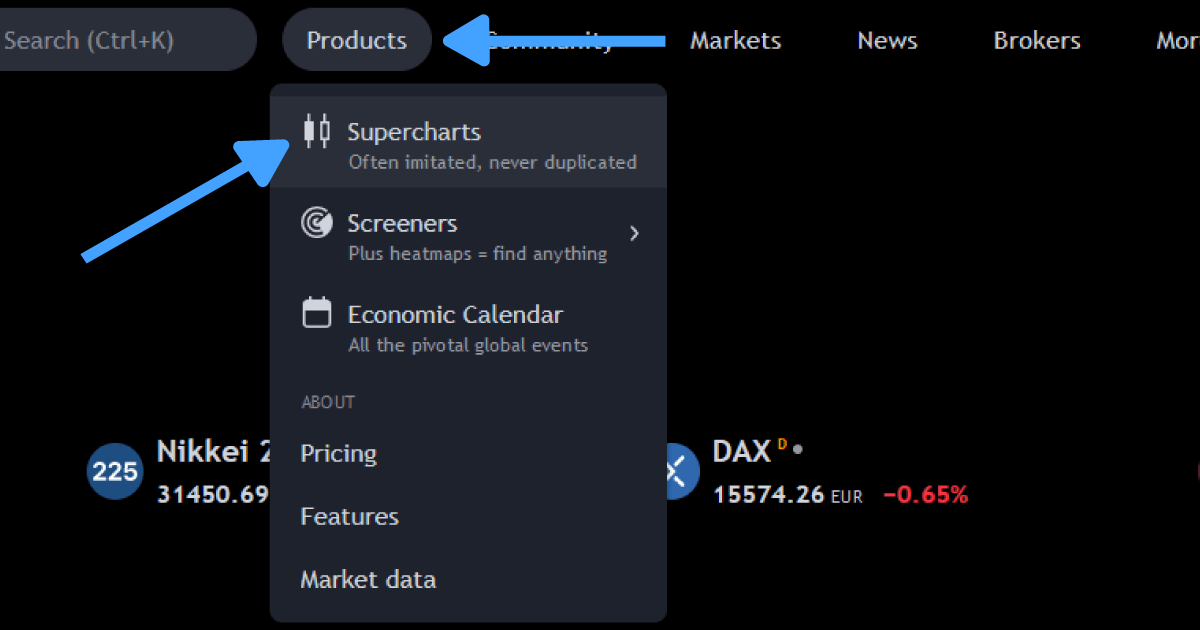
Products Tab

After launching the chart, select the Indicators option (or simply type /) to access the indicator menu. Next, opt for "invite-only scripts". You'll observe the names of the indicators; select one to incorporate it onto your chart.
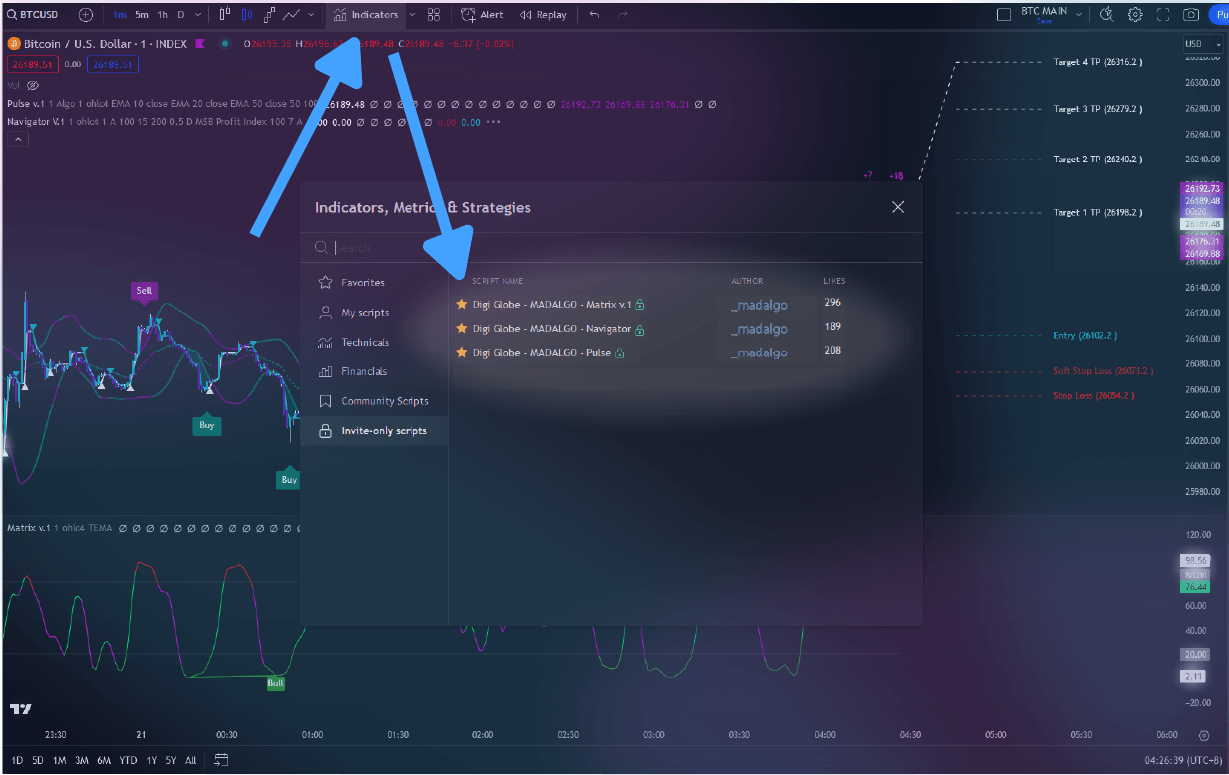
Invite Only Indicators

Info

If the "invite-only scripts" category or the MADALGO Premium indicators aren't visible, consider giving your browser/app a refresh. Should the issue persist, drop a message to support@madalgo.io with your TradingView username, and our team will ensure you receive access manually within a span of 6 hours.

For swift retrieval of the indicators, consider marking them as favorites. Simply hit the star adjacent to the indicator names. This way, you can instantly access these favorited indicators.
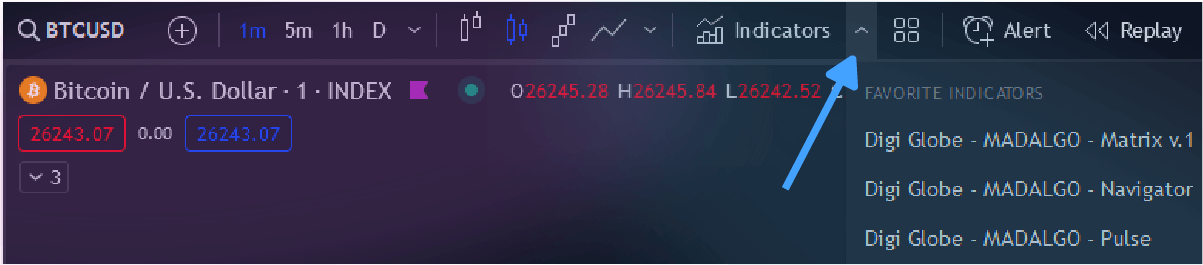
Quick Select Favorites

← PreviousWhat Is TradingView?Next →Join MADALGO In Discord