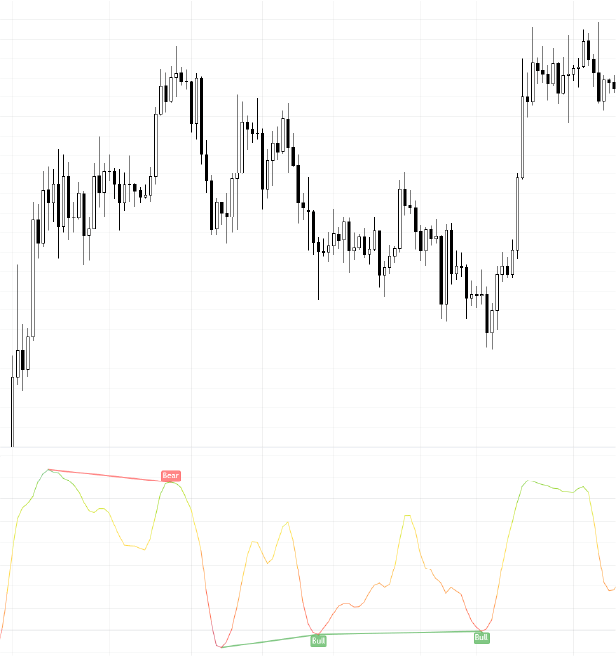
The "StochastiX" feature within MADALGO Dynamics is a dynamic tool designed to assist traders in understanding overbought and oversold market conditions. StochastiX helps identify potential reversal points and gauge the momentum of price movements.
Activation and Customization
Activation
To activate the StochastiX feature:
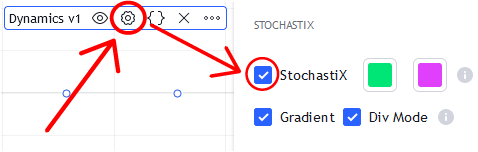
- Access the "Main Settings" section of MADALGO Dynamics.
- Locate the "StochastiX" switch and enable it.
Customization
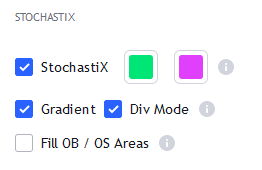
Customize the StochastiX feature with the following settings:
- Up Color: Choose the color representing upward movements.
- Down Color: Select the color representing downward movements.
- Gradient: Toggle the gradient display for enhanced visualization.
- Div Mode: Toggle to enable or disable the Divergence Finder feature.
- Fill OB / OS Areas: Toggle to fill the area between the OB / OS levels and the StochastiX plot.
Tip
Activate the Divergence Finder feature to identify potential divergences between StochastiX and price, aiding in predicting reversals
Enable the gradient display to enhance the visual clarity of StochastiX movements.
Calculation
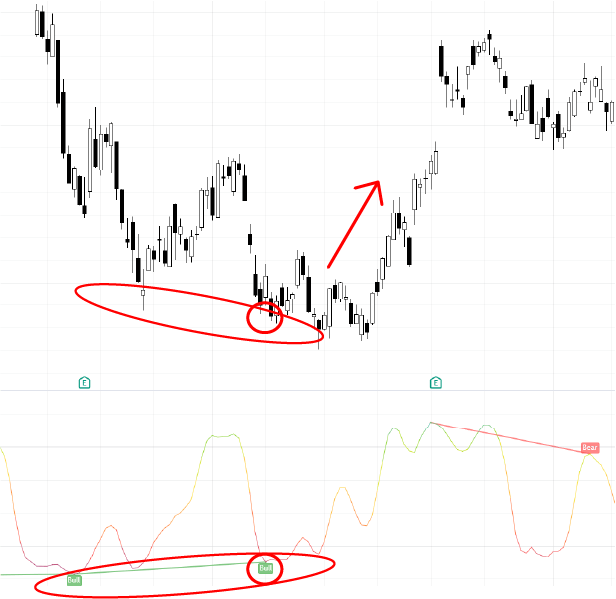
The StochastiX feature calculates the Stochastic Oscillator, which represents the relationship between the closing price and the price range over a specified period. It then smooths the Stochastic Oscillator using a moving average, it then runs it through a custom algorithm to further enhance its accuracy and usability.
Interpretation
- Overbought (OB) Zone: Values approaching or exceeding the overbought level may suggest a potential reversal or price pullback.
- Oversold (OS) Zone: Values approaching or falling below the oversold level may indicate a possible price reversal or upward movement.
Integration with Divergence Finder and Gradient Filter
StochastiX offers enhanced functionality with the "Div Mode" setting:
- The Gradient Intensity Filter reduces noise and enhances signal accuracy.
- The Divergence Finder identifies potential divergences between price and the oscillator, helping you spot trend reversals.
Info
Consider combining StochastiX with our other technical indicators, such as trendlines or moving averages, to validate potential reversal signals.
Practical Application
Identifying Extreme Conditions
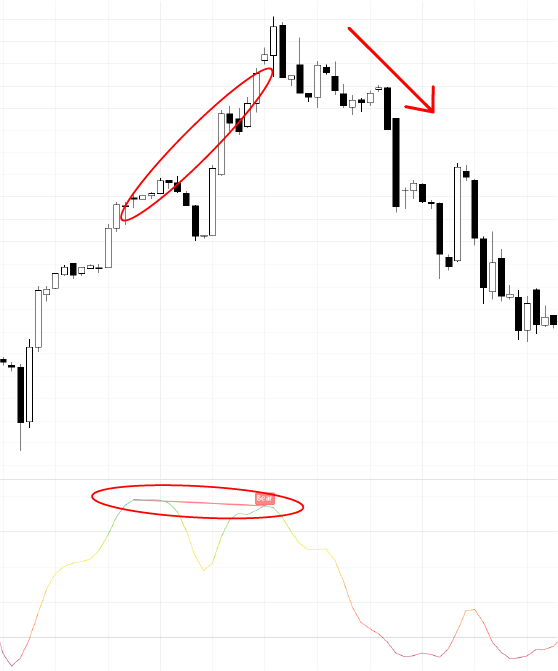
- Utilize StochastiX to recognize extreme market conditions that may precede trend reversals.
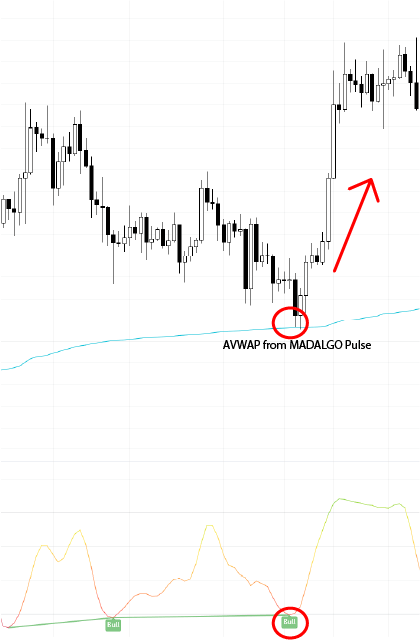
- Combine StochastiX insights with other indicators for comprehensive trend analysis.
Caution
While StochastiX provides valuable insights, confirm its signals with additional analysis tools for a well-rounded trading strategy.
Consider market conditions and other indicators to better interpret StochastiX readings.
Disclaimer: Please note that the information provided is intended for educational purposes only and should not be construed as financial advice. Trading involves risks, and it's essential to conduct thorough research and seek guidance from financial professionals before making trading decisions.