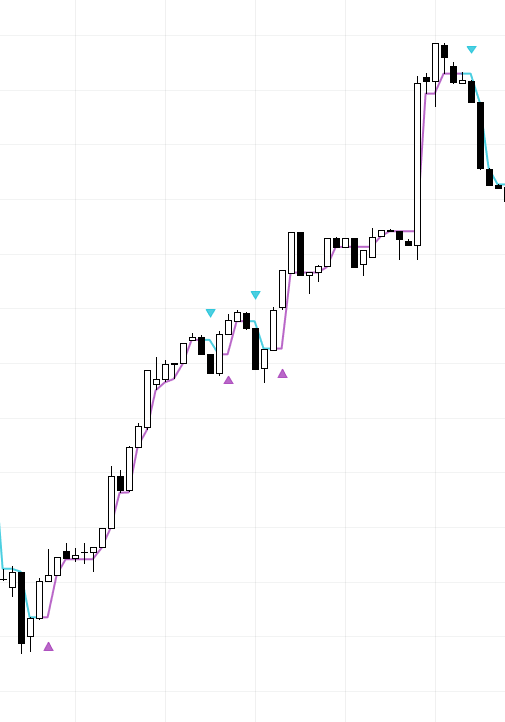
The Hyper Trend indicator is a powerful tool within MADALGO Pulse that helps traders identify potential trends and reversals in the market. It provides visual cues and signals to assist you in making informed trading decisions. This guide will walk you through how to effectively use the Hyper Trend indicator in your trading strategy.
Overview
The Hyper Trend indicator is designed to capture trend movements in the market. It generates trend lines that dynamically adjust based on market conditions, helping traders identify potential entry and exit points. The indicator uses a combination of price action, moving averages, and volatility to determine trend direction.
Settings
Before using the Hyper Trend indicator, it's essential to understand its settings and parameters. Here are the key settings you can customize:
- Hyper Trend: Enable or disable the Hyper Trend indicator.
- Amplitude (A): Adjust the sensitivity of the indicator. Higher values make the indicator more responsive to price movements.
- Channel Deviation (CD): Set the deviation factor for the trend channel.
- Show Arrows (SA): Enable or disable the display of arrows for buy and sell signals.
- Hyper Trend Color: Set the color of the trend line when in a bullish trend.
- Hyper Trend Color 1: Set the color of the trend line when in a bearish trend.
Signals
The Hyper Trend indicator generates both trend lines and buy/sell signals based on trend changes and price movements. Here's how to interpret the signals:
Trend Line
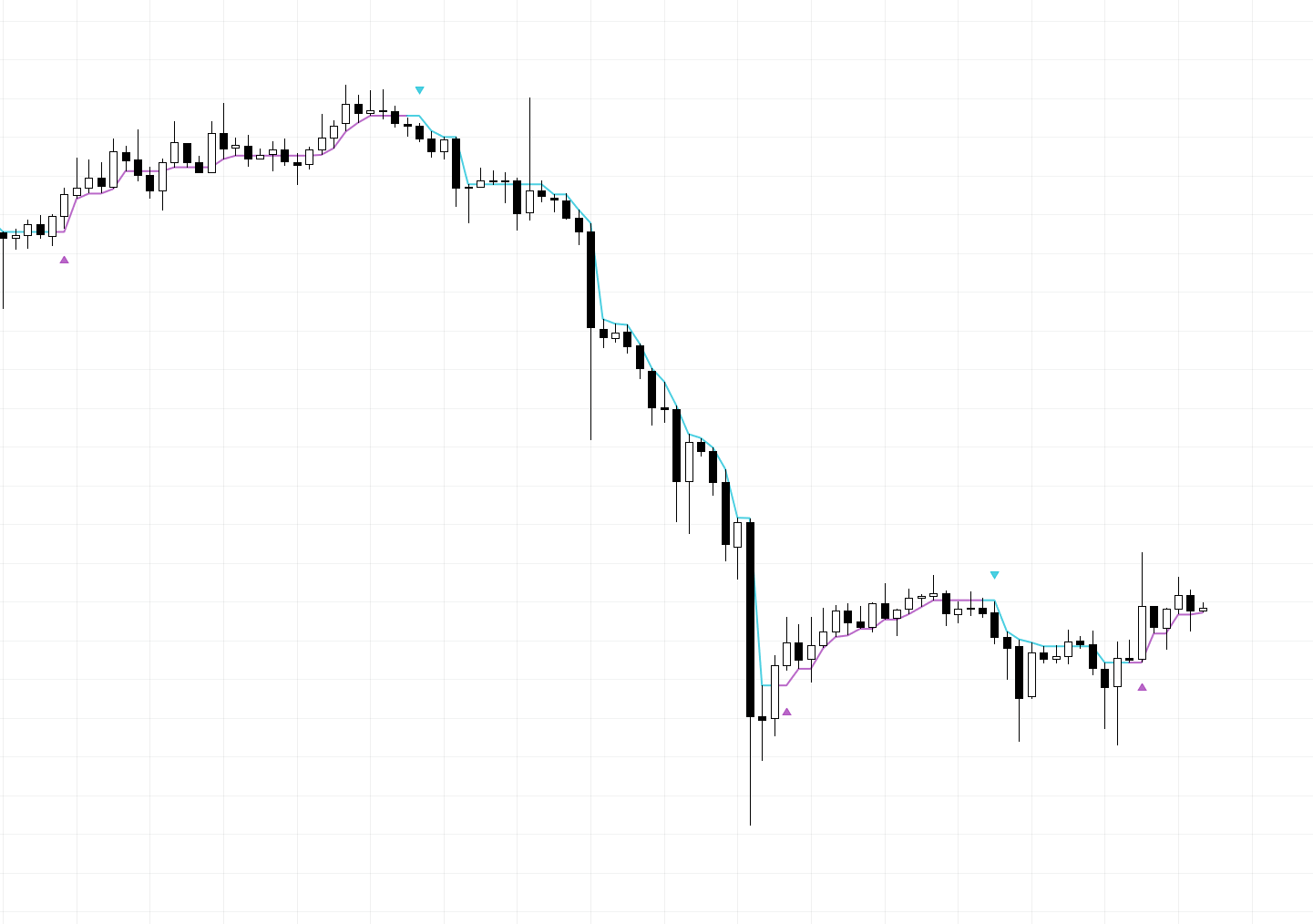
The Hyper Trend indicator draws trend lines that dynamically adjust based on market conditions. The color of the line changes to indicate bullish or bearish trends.
Buy Signal
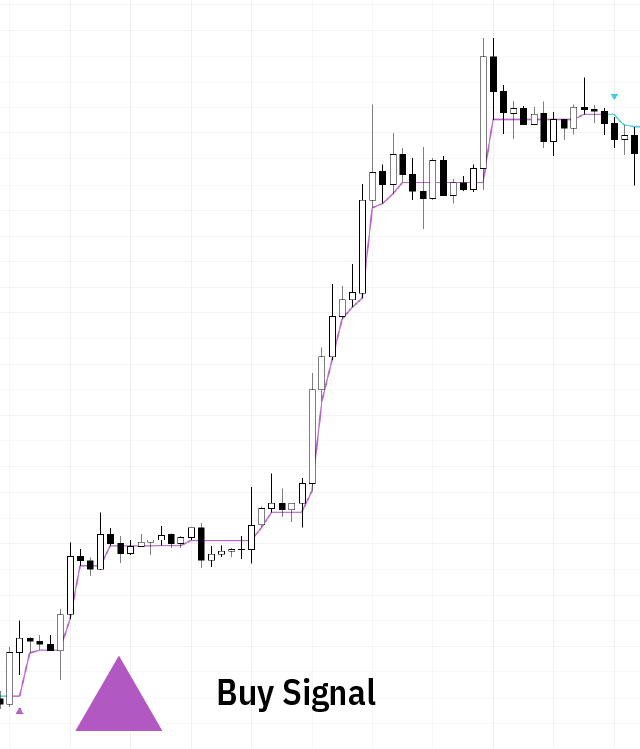
A buy signal occurs when the trend line crosses above the price action, suggesting a potential bullish trend. The indicator displays this signal in the form of an upward arrow when it occurs.
Sell Signal
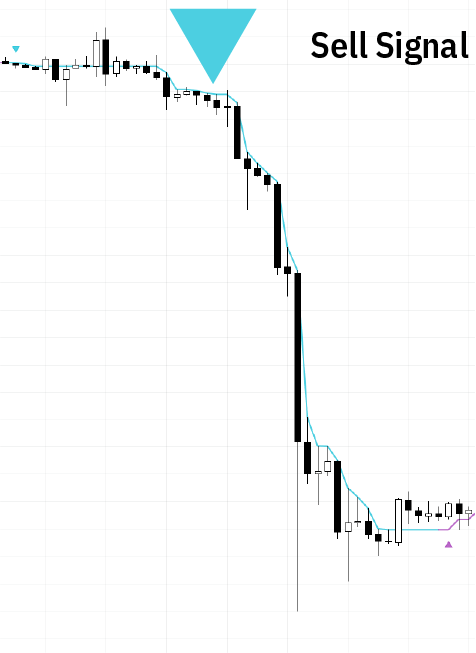
A sell signal occurs when the trend line crosses below the price action, suggesting a potential bearish trend. The indicator displays this signal in the form of an downward arrow when it occurs.
Tip
The Hyper Trend indicator is particularly useful for scalping on lower time frames, where quick trend changes are more common.
How to Use
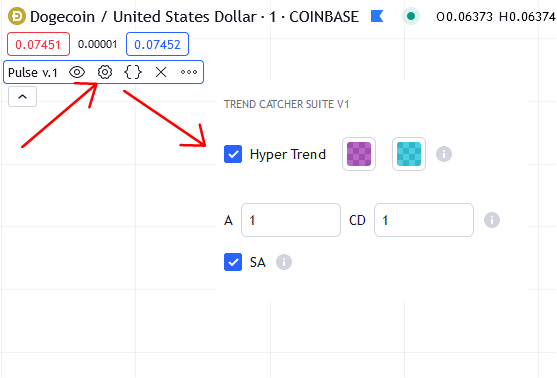
- Enable Hyper Trend: Make sure the Hyper Trend indicator is enabled by checking the "Hyper Trend" checkbox in the indicator settings.
- Adjust Parameters: Customize the indicator settings according to your preferences. You can adjust the amplitude, channel deviation, and arrow display.
- Interpret Trend Lines: Observe the color and position of the trend line. A green trend line indicates a bullish trend, while a red trend line indicates a bearish trend.
- Identify Buy and Sell Signals: Pay attention to the arrows that appear on the chart. A green arrow signifies a potential buy signal, while a red arrow indicates a potential sell signal.
- Confirm with Other Indicators: Consider using the Hyper Trend indicator in conjunction with some of our other technical indicators to validate your trading decisions.
- Set Stop Loss and Take Profit: Once you identify a potential entry point, set your stop-loss and take-profit levels to manage risk and maximize profit potential.
By understanding the settings, signals, and usage of the Hyper Trend indicator, you can incorporate it into your trading strategy to enhance your trading accuracy and effectiveness.
Caution
While the Hyper Trend indicator can provide valuable insights, no indicator is infallible. Always use additional analysis and risk management strategies to enhance your trading decisions.