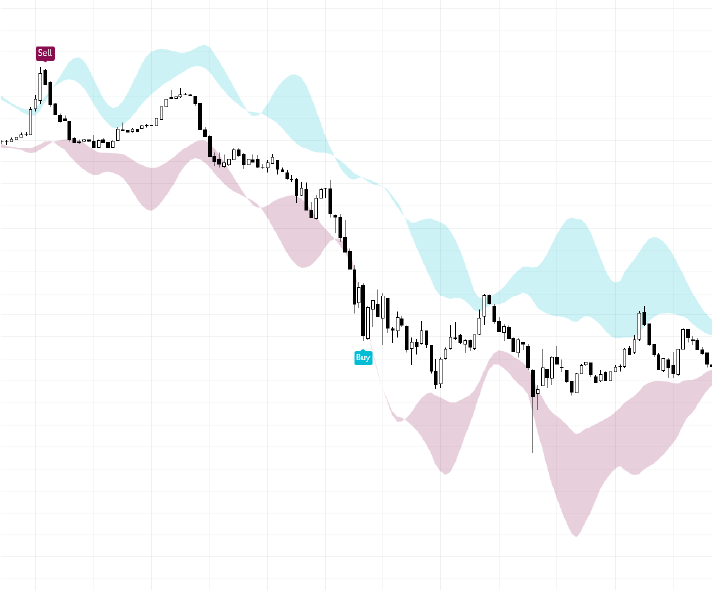
The "TrendShift Clouds" feature in MADALGO Navigator introduces a dynamic tool designed to assist traders in identifying potential shifts in market trends. By plotting visually distinct cloud-like regions on your chart, this feature offers a unique perspective on potential trend changes and empowers informed trading decisions.
Activation and Customization
Activation
To utilize the TrendShift Clouds feature:
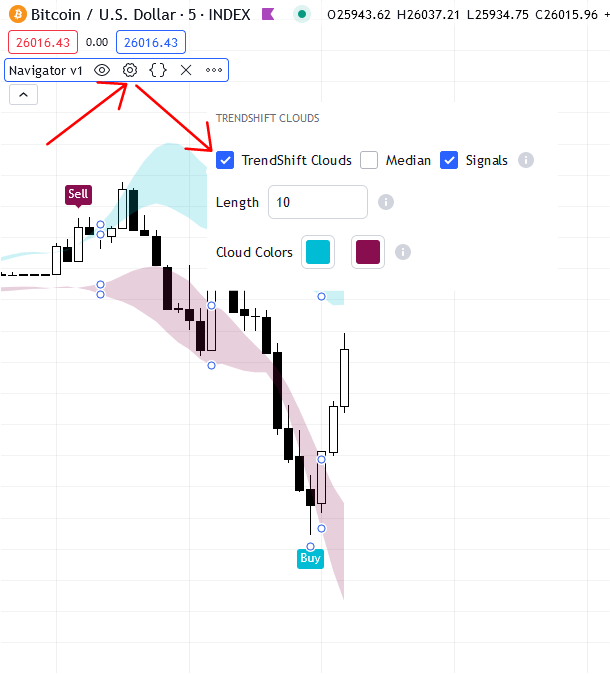
- Access the "Main Settings" of MADALGO Navigator.
- Locate the "Clouds" switch and toggle it to the ON position.
Median Line
For additional context, consider activating the "Median" line within the cloud regions:
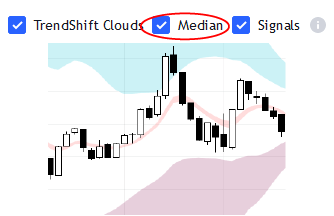
- Enable the "Median" switch in the "Clouds" settings.
Cloud Colors
Personalize the appearance of the cloud regions:
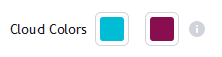
- Adjust the "Cloud Colors" inputs to select your desired colors for the upper and lower cloud areas.
Tip
Combine TrendShift Clouds with our other technical indicators that align with your trading strategy for a comprehensive view of market conditions.
Calculation and Interpretation
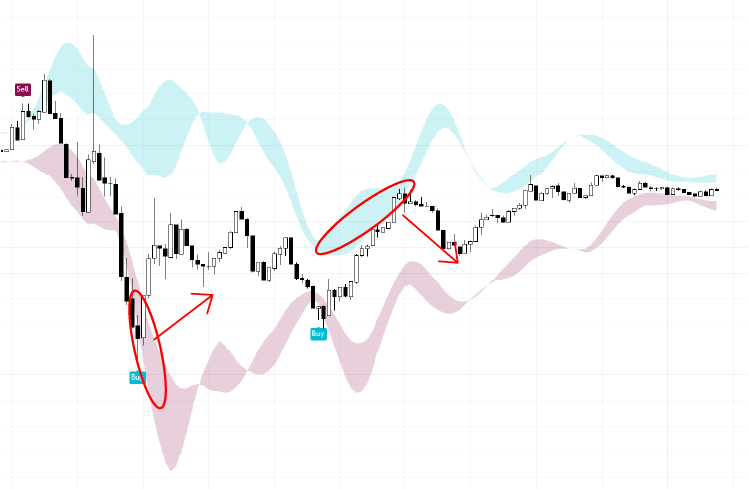
The TrendShift Clouds are generated through a sophisticated calculation that involves multiple factors, including Keltner channels, Donchian channels, and Bollinger Bands. These components collectively contribute to the creation of cloud regions, which effectively highlight areas of potential trend shifts.
Relationship with Profit Bands
It's worth noting that the TrendShift Clouds feature shares the same algorithm as the Profit Bands from MADALGO Pulse. This common algorithm underscores the effectiveness of this approach in identifying shifts in trends and potential profit opportunities.
Info
Adjust the input parameters, such as the "Length," to tailor the feature to various timeframes and adapt to changing market dynamics.
Significance and Application
Early Trend Detection
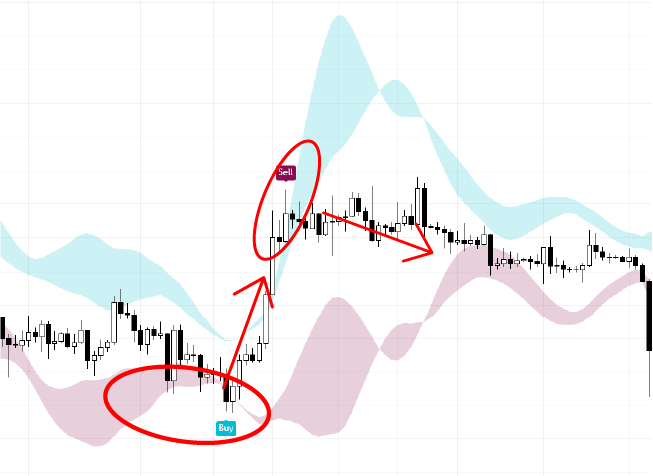
One of the primary advantages of the TrendShift Clouds feature is its ability to aid in early trend detection. By visually marking potential shifts in trends, this tool provides traders with timely insights to inform their trading decisions.
Validation Tool
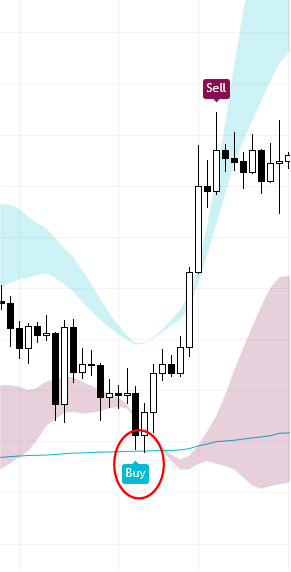
TrendShift Clouds can be used as a validation tool to complement other technical indicators and analysis methods. The cloud regions offer an additional layer of confirmation to support your trading signals.
Caution
While TrendShift Clouds provide valuable insights, remember that no single indicator guarantees accuracy. Always incorporate other analytical tools and methodologies to make well-informed trading choices.
Disclaimer: The information provided here is for educational purposes only and does not constitute financial advice. Trading involves risk, and it's essential to conduct thorough research and seek advice from financial professionals before making any trading decisions.